

The right spare part. Found in seconds.
Give your customers a digital spare parts catalog that shows exactly their machine – with an interactive 3D model, linked bill of materials and every document. Spare parts requests reach your service team clear and complete.
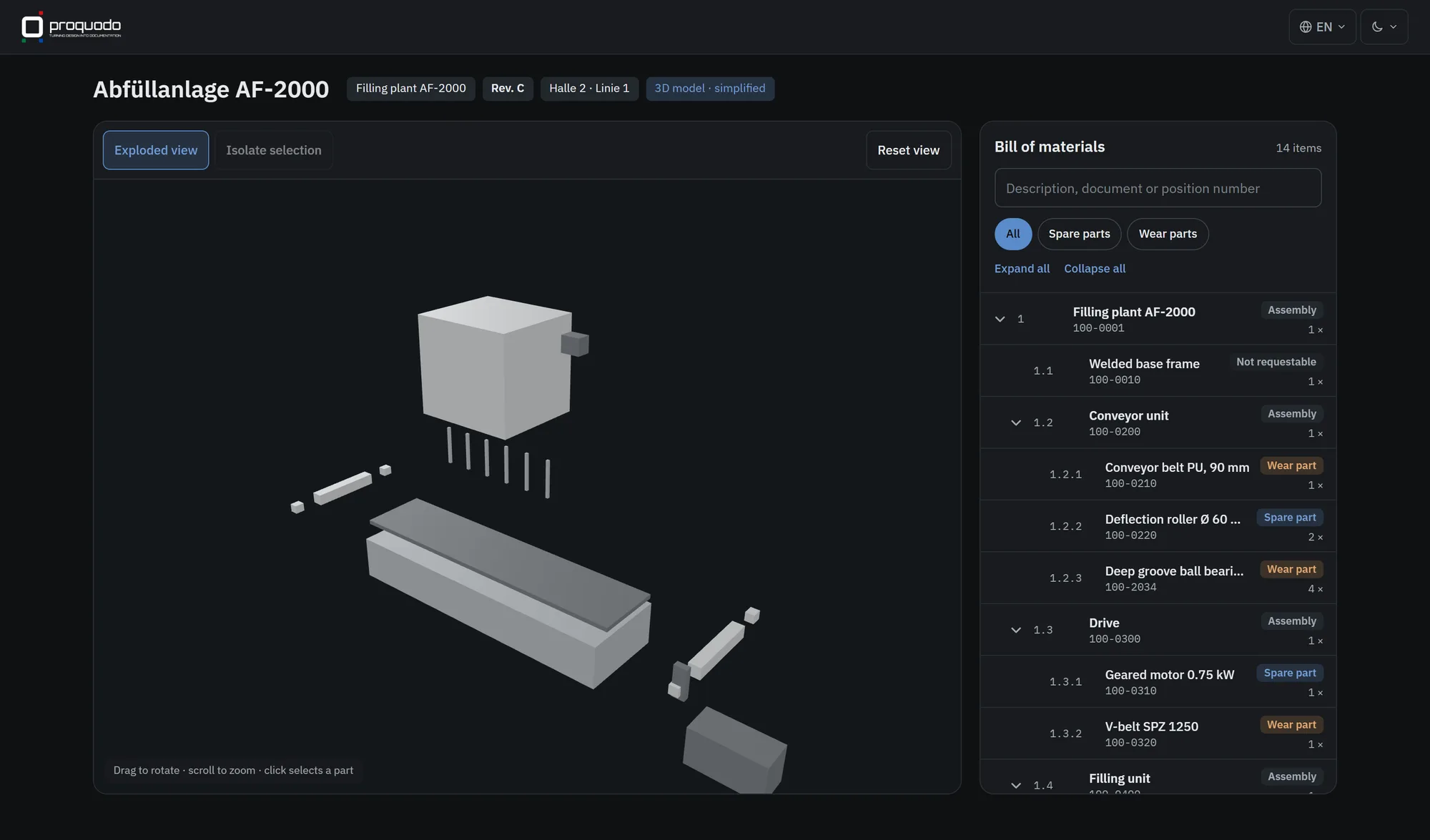
Find, don’t search
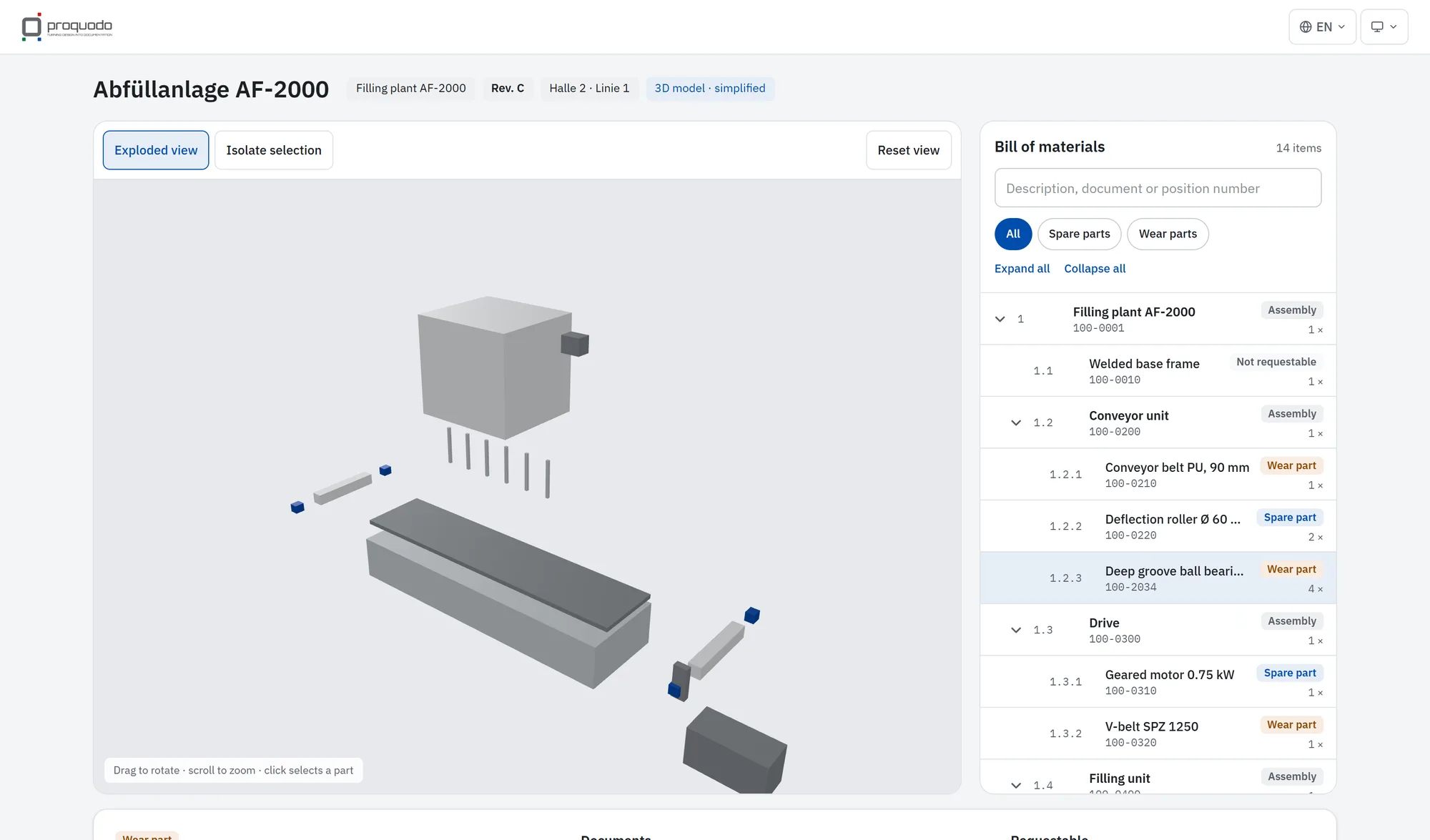
Click a part in the 3D model, expand it in the BOM or search by name, part or item number.
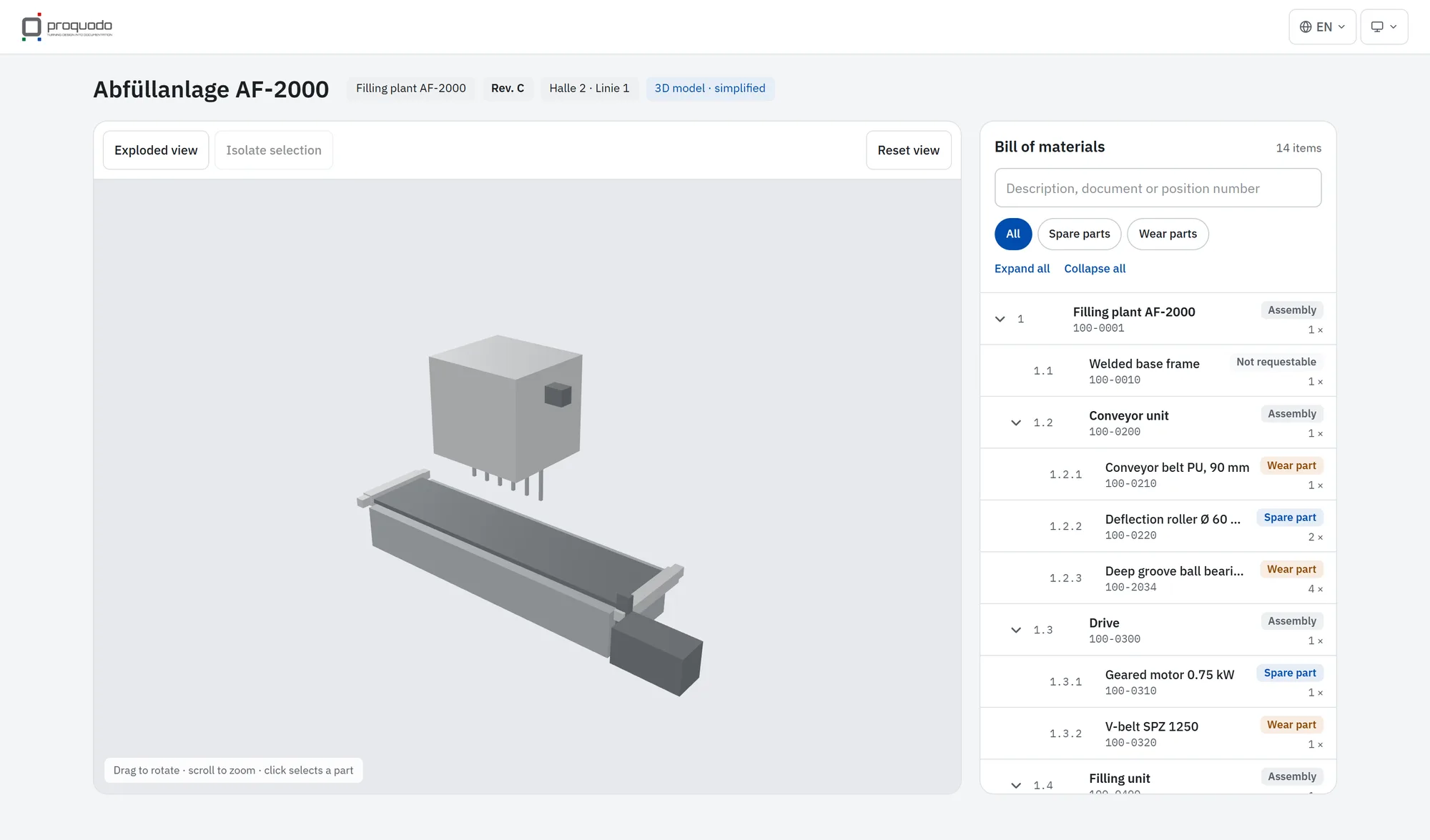
Exploded view & isolate
Take assemblies apart in one click, isolate single parts and view them from every angle.
Request list instead of guesswork
Customers collect parts with quantity and machine – the request is emailed to your service team and exportable as CSV.
Every machine in its version
Customers see exactly the revision installed at their site – even with several machines in different states.
Documents in the right place
Data sheets, drawings and instructions directly at the part – with preview or download according to your rules.
German & English
Switchable interface, multilingual part names from proquodo. More languages can be added.
Clear. Fast. In your branding.
Your catalog. Your brand. Your domain.
The catalog carries your logo and colors – on a proquodo subdomain or your own domain such as parts.your-company.com. Contrast is checked automatically so everything stays readable. Emails to your customers come from your address, too.
- Your own logo (light & dark) and colors
- Custom domain with automatic SSL certificate
- Sender address on your domain
- Legal notice & privacy policy per manufacturer
From proquodo straight online – with preview and validation.
Export
proquodo assembles BOM, 3D model and documents for a machine.
Validate
A local preview shows the machine exactly as it will appear in the catalog – including warnings about missing files or errors.
Transfer
One click transfers the machine to the catalog, encrypted. Unchanged files are never sent twice.
Security isn’t an add-on module for us.
Hosted in Europe
Operated in a European data center – GDPR compliant.
Tenant isolation
A dedicated database and storage per manufacturer, encrypted with its own key.
Mandatory two-factor
Sign-in with password plus authenticator app or passkey.
Virus scan & backups
Every imported file is scanned; nightly encrypted backups with regular restore tests.
Questions about the parts catalog
What is an electronic spare parts catalog?
An electronic spare parts catalog (EPC) presents a machine’s spare parts digitally – usually with an exploded drawing or 3D model, BOM and part information. Unlike a PDF list it is searchable, always current and enables direct requests or orders.
Is proquodo parts an online shop?
No – it is deliberately a catalog. Your customers build request lists that are emailed to your service team and can be exported as CSV. Prices and availability are already part of the data model.
Does the catalog work without a 3D model?
Yes. Without a 3D model, the catalog works fully via BOM, search and documents.
How do my customers get access?
You invite your customers’ users in the manufacturer area. Each customer only sees the machines assigned to them.
How is proquodo parts licensed?
proquodo parts is offered as SaaS in license packages per manufacturer, tiered by the number of customer users. Contact us for a quote.
Turn spare parts into a growth business.
See in a live demo how your customers will find spare parts – and how quickly your own machine can be in the catalog.